How to monitor competitor stock availability on selected product pages
To monitor competitor availability, follow the exact public offer and check whether its published availability state changes. A page saying "in stock" describes an offer at an observation time. It does not reveal how many units the retailer holds or how many it sold.
In lookalytic, you can select availability as a field on a compatible product-page watch. Use the result to decide which offer needs a closer look before changing your own promotion or stock message.
Choose the variant and seller first
Check the product version, condition, seller and delivery destination. A retailer may have the black model available while the blue model is unavailable. A marketplace can show different availability for different sellers.
Shopify describes a product variant as a combination of option values, such as a size and colour. Google's product-variant guidance also represents offers at variant level. Check which offer the source actually exposes before relying on its availability.
Use a stable URL for the chosen offer where one exists. Open it in a fresh session and confirm that it still selects the intended variant. The competitor-page selection guide covers the other offer details to compare.
Select availability for the offer
In the e-commerce monitoring workflow, add the chosen URL with "Resource type" set to "Product". Under "Changes to track", select "Availability". Keep "Price" selected only if price movements also matter to you.
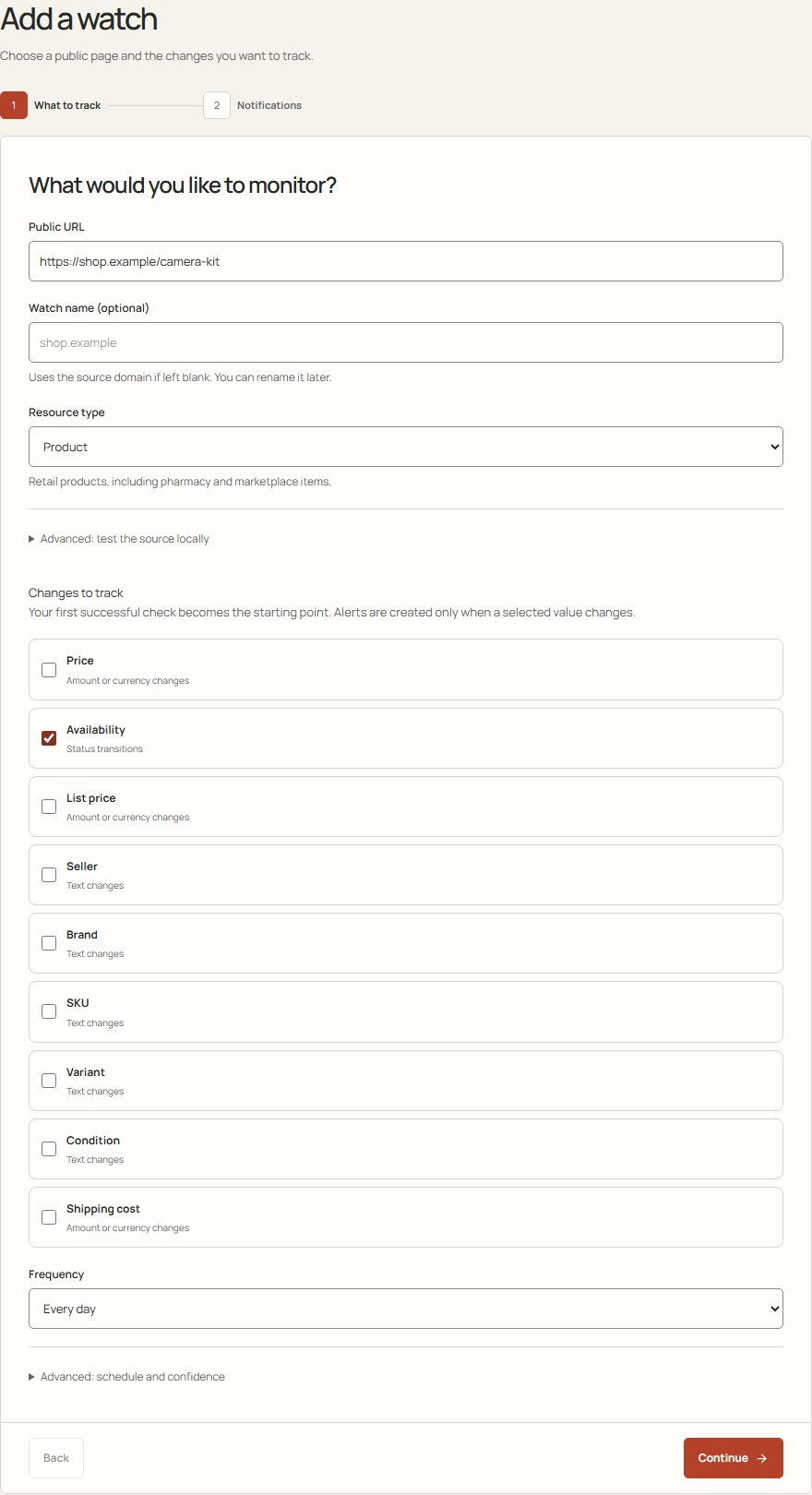
The local demo shows Availability selected. The example URL was not tested against a retailer.
The page must expose the readable title and price required by the monitoring workflow, even when you track availability alone.
Before relying on the watch, compare its first successful availability reading with the same variant and seller on the source.
Read a change in its offer context
The following situations are hypothetical. They show what to verify before acting.
| Observation | What it supports | What to check next |
|---|---|---|
| The chosen offer changes from unavailable to available | The monitor observed a different availability state | Open the same variant and seller for the intended delivery destination |
| One size becomes unavailable | That size may no longer be available from that offer | Check other sizes separately before describing the whole product as unavailable |
| A page stops loading or extraction fails | The monitor could not obtain a reliable new observation | Inspect the failure. This does not establish a stockout or sale |
A retailer's public state can also lag its actual inventory. Google's availability guidance for merchants requires the submitted state to agree with the landing page and checkout. For your monitoring task, inspect the visible offer when a change matters rather than assuming one label proves that an order can be fulfilled.
Route availability changes to the right reviewer
Send availability changes to the person responsible for the affected promotion or stock message. They should verify that the matching offer can be delivered before changing your own message.
A failed check leaves the last valid availability reading in place. Check its observation time before using it in a stock decision. The failure itself does not establish whether the product is available.